Less Is More on Canvas
Filed in Teaching with Technology Portfolio
When setting up my Canvas course pages, I try to accomplish two interrelated goals: (1) reduce the amount of noise confronting students, and (2) decrease the lag between intention and execution. When students access the Canvas page for my course, I want them to not only know what they want to do (find my office hours, check the reading, submit an assignment); I want my Canvas design to make accomplishing that task as seamless as possible.
The Home page on Canvas is the one-stop shop for my course sites. Everything on the Home page links to something else on the site. For example, for my Science Fiction class, I included all of the early readings on the Home page, organized by thematic header, in the order they are listed on the syllabus schedule. Some of these readings were PDFs, while others were external links. All of them are clickable on the Home page so that students are taken directly to the reading in question.
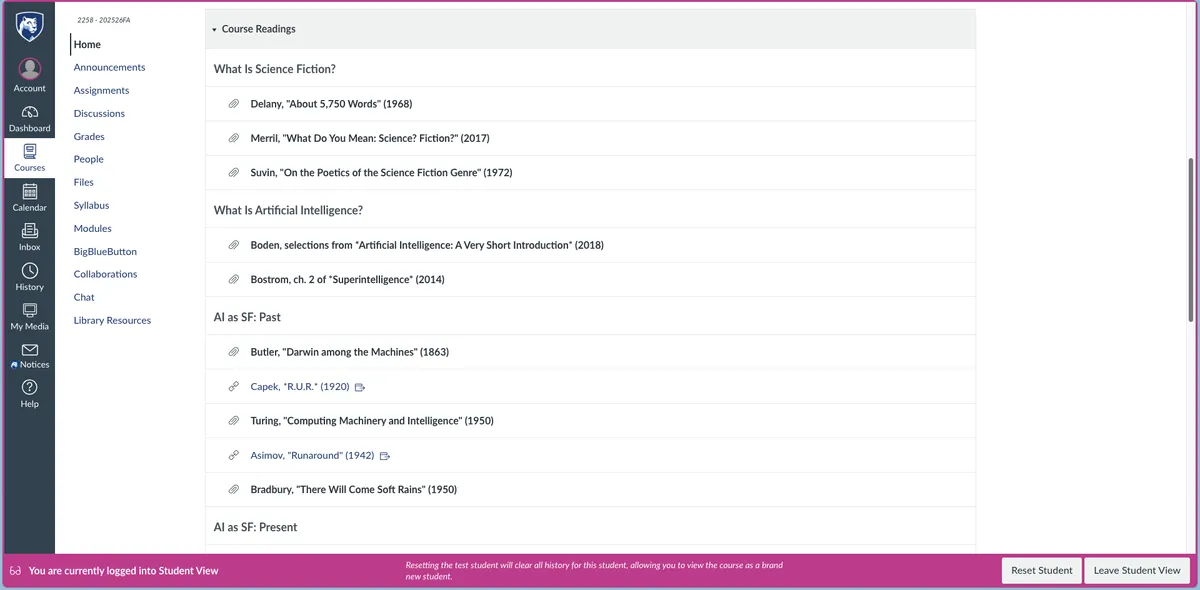
The important element is that this Home page is not just a repetition of textual content from the syllabus; this is not where students go to find what readings are due for a specific day (which I also remind them of in class). Instead, it is where students can immediately access the various files they need.
Besides the Home page, the most critical page on any Canvas site is the Assignments page. Especially for classes that follow a series of repeated steps, like drafting, review, and revision structure of my introductory Rhetoric and Composition course, clarity on the Assignments page is paramount. I accomplish that clarity by grouping assignments and using no-nonsense titles.
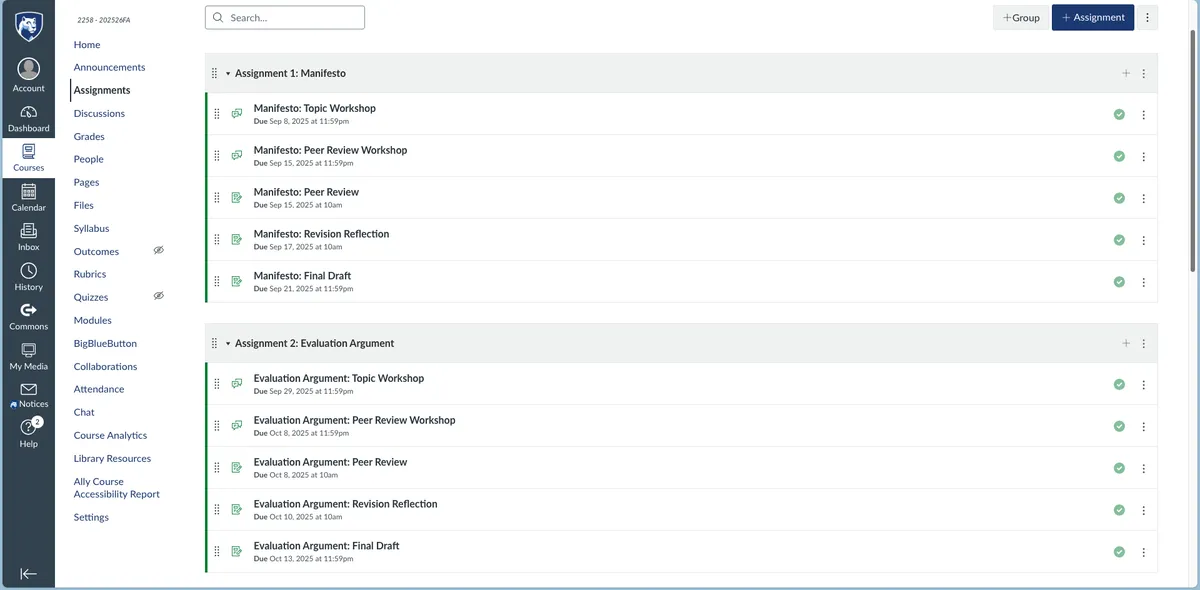
One drawback of the Canvas software is that you are limited in how you can enforce the site to appear to students. When I set up my Assignments page, I toggle the Canvas setting to show the assignments "By Group." But the default setting for Canvas is "By Date," which will sort assignments in a messy chronological order. I tell my students to switch this setting on the first day of class, so that they see the page as I have designed it to be seen, but I suspect many of them leave the default—and indeed, many students use various browser extensions to radically change how Canvas appears to them.
Another drawback is that there is a limit to the amount of noise an instructor can minimize. In my preferred world, I would deactivate every single functionality on the left navigation bar that I don't use. You can hide a fair amount of these functionalities, but some of them are hardwired to appear, which is unfortunate.