Using Announcements to Underscore Course Material
Filed in Teaching with Technology Portfolio
The Announcement feature in Canvas is one of my favorites. Every time I publish my Canvas course page, it comes with a welcome announcement that sets the tone for the course. It's a great way to establish a mode of official communication for course-specific topics; one could obviously email the student roster, but I believe this entails a slightly different (and less effective) rhetorical effect. Emailing two dozen recipients feels diffuse and a little undirected; by contrast, an officially designated announcement feels coherent and targeted.
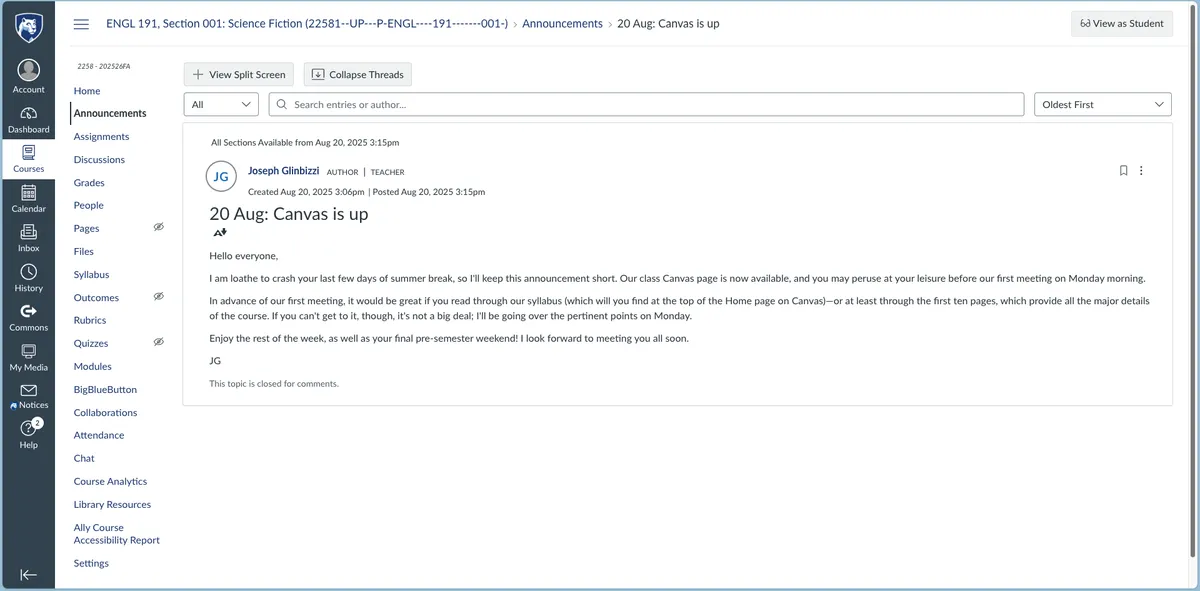
Additionally, I frequently make maintenance Announcements throughout the semester to keep students (and myself) on track and on the same page. I make an announcement for communicating assignment due dates and homework, and to remind them of things we discussed in class and which should be put in writing. If I need to make a schedule change, for instance, I will always inform them in person before sending a follow-up announcement that concretizes the change.
Canvas allows the scheduling of Announcements, which I almost always make use of. I never have to worry about getting an announcement out at the right time, which is especially great because announcements often deal with time-sensitive content.
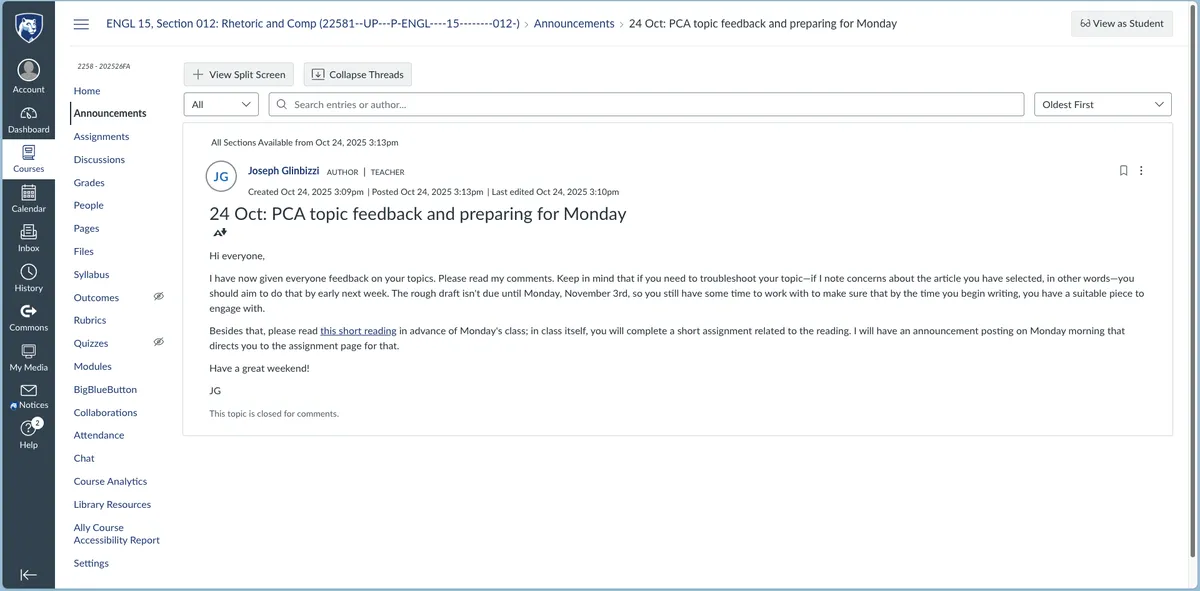
Perhaps the best advantage of Canvas announcements over something like a broadband course email, though, is the fact that in an announcement, you can configure internal Course Canvas page links. This means that if I remind students to submit their final draft in an announcement, I can link directly to that assignment page, so students can access it quickly.
Next: Pedagogical Innovation: Tracking Theory Shared Document